|
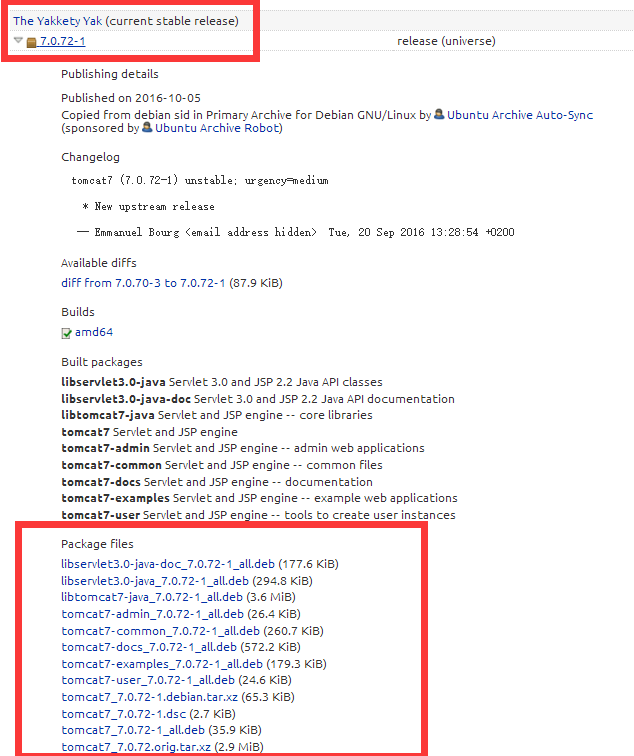
查看当前用户的信息 tomcat7@ubuntu:/tmp$ id uid=110(tomcat7) gid=118(tomcat7) groups=118(tomcat7) 查看当前系统版本 tomcat7@ubuntu:/tmp$ lsb_release -a No LSB modules are available. Distributor ID:Ubuntu Description:Ubuntu 16.04 LTS Release:16.04 Codename:xenial 查看tomcat安装版本号 tomcat7@iZ28hvwqkg1Z:~$ dpkg -l | grep tomcat ii libtomcat6-java 6.0.39-1 all Servlet and JSP engine -- core libraries ii tomcat6 6.0.39-1 all Servlet and JSP engine ii tomcat6-common 6.0.39-1 all Servlet and JSP engine -- common files 查看当前的安装包最新对的版本 conca@iZ28hvwqkg1Z:~$ sudo apt-cache show tomcat6 Package: tomcat6 Priority: optional Section: universe/web Installed-Size: 362 Maintainer: Ubuntu Developers <ubuntu-devel-discuss@lists.ubuntu.com> Original-Maintainer: Debian Java Maintainers <pkg-java-maintainers@lists.alioth.debian.org> Architecture: all Version: 6.0.39-1 Depends: tomcat6-common (>= 6.0.39-1), ucf, adduser, debconf (>= 0.5) | debconf-2.0 Recommends: authbind Suggests: tomcat6-docs (>= 6.0.39-1), tomcat6-admin (>= 6.0.39-1), tomcat6-examples (>= 6.0.39-1), tomcat6-user (>= 6.0.39-1), libtcnative-1 Filename: pool/universe/t/tomcat6/tomcat6_6.0.39-1_all.deb Size: 35130 MD5sum: 09a1a0c0fda720bc2fa5af685081eeab SHA1: 106c2c365178259193b7d9a9b36a30ebc0219a98 SHA256: 8e8a8915308e731e98f92adb4ac1fe48e95a5de97cc7446a955875ab90c55d91 Description-en: Servlet and JSP engine Apache Tomcat implements the Java Servlet and the JavaServer Pages (JSP) specifications from Sun Microsystems, and provides a "pure Java" HTTP web server environment for Java code to run. . This package contains only the startup scripts for the system-wide daemon. No documentation or web applications are included here, please install the tomcat6-docs and tomcat6-examples packages if you want them. Install the authbind package if you need to use Tomcat on ports 1-1023. Install tomcat6-user instead of this package if you don't want Tomcat to start as a service. Description-md5: 934d55e0d50dac715e209698c30454ab Homepage: http://tomcat.apache.org Bugs: https://bugs.launchpad.net/ubuntu/+filebug Origin: Ubuntu 发现apt自带的安装程序不是最新的 去ubuntu官方网站寻找最新的安装包 https://launchpad.net/ubuntu/+source/tomcat7
下载.deb文件,然后使用:dpkg -i file.deb 进行安装 Dpkg 的普通用法: 1、dpkg -i <package.deb> 2、dpkg -c <package.deb> 3、dpkg -I <package.deb> 4、dpkg -r <package> 5、dpkg -P <package> 6、dpkg -L <package> 7、dpkg -s <package> 8、dpkg-reconfigure <package> |